Sqquid Product Catalog Management
Get more products ready to sell, with less catalog work.
Manage product information, make bulk updates, catch channel errors, and resync products from one workspace inside Sqquid. Spend less time maintaining product data. Put more attention into the assortment you sell.

Update more products with less repetitive work
Find the products that need attention, then use inline editing, bulk changes, or CSV import and export to get the job done.
Catch preventable catalog errors earlier
Validations tailored to each connection identify supported product requirements and explain what needs to change, helping your team avoid unnecessary export failures.
Get failed product updates moving again
Investigate sync errors, correct the affected products, and resync updates instead of leaving failed or paused exports unresolved.
Your catalog should support sales, not hold up your team.
A product launch should not turn into a queue of individual edits. A rejected update should not take repeated trial and error to diagnose. And the same catalog cleanup should not begin with rebuilding yesterday’s filters.
Product Catalog Management gives merchandising and retail operations teams a practical way to work through these recurring tasks.
| When this slows your team down | Product Catalog Management helps you move forward |
|---|---|
| The same change needs to be made across many products. | Apply bulk changes or use CSV import and export. |
| Finding the right assortment takes longer than updating it. | Search, filter, and save reusable views. |
| A routine edit could introduce an avoidable mistake. | Review product edits before saving. |
| A destination rejects product data without an obvious next step. | Use supported validations and sync error information to identify what needs fixing. |
| A failed product update remains unresolved. | Correct the issue and resync the product to its connection. |
The tools behind a more manageable catalog
Find the right products. Save the view. Get back to work.
Search and filter your catalog to focus on the products relevant to the job. Save filter setups as reusable views so recurring merchandising tasks do not require the same setup every time.
Whether you are preparing an assortment or returning to a cleanup project, start with the products you need, not an entire catalog to sort through again.
Make quick edits without opening products one at a time
Edit product fields inline and review your changes before saving. Keep routine corrections in the catalog workflow rather than moving through a series of individual product pages.
The review step gives your team a chance to check the work before committing it. Move efficiently while keeping a deliberate check between editing and saving.
Handle larger updates with bulk changes and CSV files
Make changes across many products at once. Use CSV export and import when a spreadsheet is the better way to prepare a larger merchandising project.
Choose the approach that fits the task: a focused inline correction, a bulk update, or a cleanup in a spreadsheet. Product Catalog Management supports all three, so your team is not forced to maintain products one at a time.
Catch issues specific to each channel before they become repeated failures
Different destinations accept different product data. Product Catalog Management includes validations tailored to each connection that identify supported requirements and tell your team what needs to change.
Examples include duplicate SKUs, duplicate attributes, and product fields that exceed a destination’s supported length. Where a validation blocks an invalid change, the product cannot be saved until the issue is corrected.
That gives your team a clearer next step than repeatedly sending the same incompatible data.
Turn synchronization errors into a clear next action
Check product sync errors, resolve the underlying issues, and resync products so Sqquid sends them to the connection again. The workflow also covers products paused after repeated synchronization failures.
Instead of treating a failed export as a dead end, give your team a way to investigate, correct, and retry it from the merchandising workflow. For larger volumes of product updates, review how queues, destination processing limits, and recovery affect the work reaching each channel.
Adapt product information to the destination
Sqquid supports merchandising of product titles, descriptions, prices, attributes, and product visibility for each supported channel. Keep product data coordinated while adapting supported details to the destination where the product is sold.
Available fields and controls depend on the connection. Not every channel supports the same editing, listing creation, or export behavior.
Keep catalog cleanup in the workflow
Product Catalog Management also includes product deletion for catalog maintenance. Handle product cleanup alongside the search and editing work your team already performs.
How Product Catalog Management works
Find the products. Search, filter, or return to a saved view to focus on the catalog work in front of you.
Make the changes. Use inline editing, bulk changes, or CSV import and export as appropriate for the task.
Check the work. Review product edits before saving and resolve any supported validation issues that prevent the changes from proceeding.
Send updates through the connection. Use the synchronization workflow for the destination. Resync a product when it needs to be sent again.
Resolve exceptions. Investigate failed or paused product exports, correct the underlying data or issue, and retry through the appropriate workflow.
Built for the work retail teams actually need to finish
Prepare a seasonal assortment without scrambling to finish edits
Find the products involved in your launch, make the required catalog changes, and review the edits before saving. Use bulk changes or CSV files when the work spans a larger assortment.
The payoff: Less repetitive preparation between deciding what to sell and getting the product data ready.
Clear a recurring catalog cleanup backlog
Return to a saved view, correct the relevant product information, and work through the changes in batches. Keep repeatable tasks from becoming another collection of individually opened product records.
The payoff: More time spent improving product information and less time navigating the catalog.
Prepare product data for another connected destination
Check the product information needed for the destination and correct issues identified by Sqquid’s validations. Adapt fields for each channel instead of assuming that every destination accepts the same data.
The payoff: Fewer avoidable data corrections during channel setup and ongoing merchandising.
Follow through when a product update fails
Investigate the reported sync issue, correct the affected product, and resync it. Include paused products in that process rather than letting repeated failures disappear from the day’s work.
The payoff: A practical path from a catalog problem to a corrected product update.
Connected merchandising with the right controls for each destination
Sqquid’s validation coverage for individual connections includes Shopify, BigCommerce, WooCommerce, Amazon, eBay, Walmart, TikTok Shop, Google Shopping, and Salesforce.
Coverage does not mean identical functionality across every integration. Some connections support product publishing; others focus on matching existing listings, inventory, pricing, or related synchronization. Editing, listing creation, and supported product fields vary by destination.
We will walk through the exact product workflow for your retail stack, rather than assume that every channel works the same way.
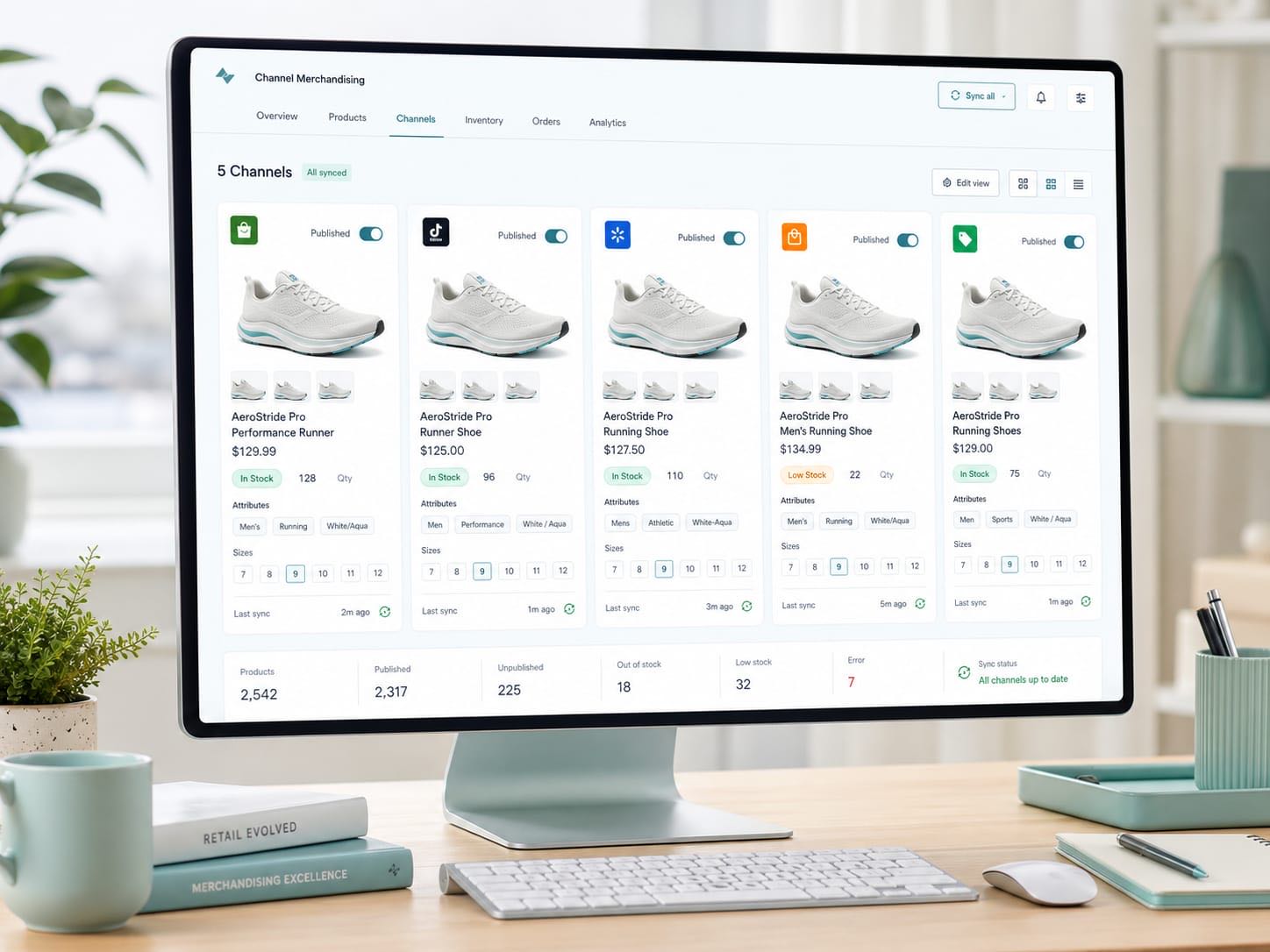
Product merchandising, connected to the rest of retail
Product Catalog Management is the product merchandising workspace within Sqquid’s retail operations system. Sqquid connects POS, ecommerce, marketplaces, inventory, orders, and fulfillment so product work does not sit apart from the rest of the business.
It is a strong fit for growing retailers with multiple locations, complex catalogs, or multiple sales channels, including specialty retailers in apparel, footwear, sporting goods, and gifts. Businesses focused on ecommerce with meaningful catalog and operational complexity can also benefit.
Keep the POS and ecommerce systems that work for your business. Add a more practical way to manage the product work between them.

Retail merchandising experience behind the product
In Sqquid’s published customer story, Daniel Kahalani, CEO of DNA Footwear, describes Sqquid’s merchandising solution as easy to use and reliable.
Product Catalog Management questions, answered
What is Sqquid Product Catalog Management?
Product Catalog Management is Sqquid’s product merchandising workspace. Retail teams use it to search and filter the catalog, save reusable views, edit product fields, make bulk changes, work with CSV files, check supported validation issues, and resolve product synchronization errors.
Can we update many products at once?
Yes. Product Catalog Management supports bulk product changes as well as CSV export and import. Inline editing is also available for focused corrections.
Can we review edits before they are saved?
Yes. The product editing workflow includes a review step before saving. This gives the person making the changes an opportunity to check them before committing the edits.
Can we reuse the same product filters?
Yes. Save a filter setup as a reusable view and return to it for recurring merchandising tasks.
Will Product Catalog Management catch every reason a marketplace might reject a product?
No. Sqquid checks the product requirements supported by its validations for each connection and explains the issues it detects. A destination may apply additional listing, eligibility, account, or policy requirements. Passing validation is not a guarantee of publication or marketplace approval.
What happens when a product fails to sync?
Your team can check the sync error, address the underlying issue, and resync the product so Sqquid sends it to the connection again. The merchandising workflow also includes products paused after repeated failures.
Can we merchandise a product differently by channel?
Sqquid supports product merchandising tailored to each channel. The editable fields and publishing behavior depend on the connected system, so we will confirm what is supported for your channels during a walkthrough.
Does Product Catalog Management replace our POS or ecommerce platform?
No. Product Catalog Management is part of Sqquid’s retail operations system, which connects the systems running your business. This page focuses on product merchandising; inventory coordination, orders, routing, and fulfillment are handled through Sqquid’s broader workflows.
Give your team a better way to manage products
Bring us a product launch, a recurring cleanup task, or a product update that keeps failing. We will walk through how Product Catalog Management can fit that workflow and what is supported by your connected systems. Less repetitive editing. Clearer corrections. More products ready for the next step.