Reduce oversell risk
Share sellable stock with TikTok Shop as a combined quantity or by mapped warehouse.
TikTok Shop integration · Sqquid Commerce
Connect TikTok Shop to the stores, warehouses, and systems that already run your business. Sqquid Commerce coordinates what’s available to sell, where each order goes, and how it gets shipped.


A creator post can move stock quickly while your website and stores are still selling the same products. Commerce updates availability on matched TikTok Shop listings using sellable stock from your connected inventory source.
Your teams get a clear handoff from sale to shipment. Commerce brings eligible TikTok Shop orders into your routing workflow so stores or warehouses can fulfill them alongside work from other connected channels.
Share sellable stock with TikTok Shop as a combined quantity or by mapped warehouse.
Use mapped locations and routing rules to get orders to the teams that can ship them.
Get eligible TikTok rates and buy labels in Commerce for orders using TikTok Shipping.
The TikTok Shop connection matches existing listings by seller SKU, publishes sellable stock, and imports eligible orders for fulfillment. Create and approve new listings through your TikTok Shop listing workflow.
Shopify’s native channel supports catalog, inventory, order, and fulfillment sync. Review it first if Shopify already covers the stock and shipping workflow your team needs.
Compare Shopify + TikTok Shop integration optionsUse Commerce with a supported inventory source to coordinate available stock and fulfillment across locations and channels. Confirm the seller region and shipping mode during setup.
Read the TikTok Shop connection guideYour warehouse sells through a jacket after a creator post. North Store still has the jacket and is eligible to ship TikTok Shop orders in your configured workflow. Commerce can route the next eligible order to that store if the inventory setup, warehouse mapping, and rules allow it.
If you publish inventory by warehouse, include only the mapped locations that can actually fulfill the order. Test that handoff before sending shared stock to TikTok Shop.
Illustrative example
Assign to North Store under the configured rules
Bring your Seller Center account, approved listings, inventory source, and fulfillment locations. Decide whether to pool your stock or map it to individual TikTok warehouses.
Check that the seller SKU for each test variant matches the SKU in Commerce exactly.
Confirm which locations contribute stock and fulfill orders. If you use TikTok Shipping, review package presets and label settings.
Check an availability update, order assignment, test shipment, and tracking. Review who handles returns and cancellations in Seller Center.
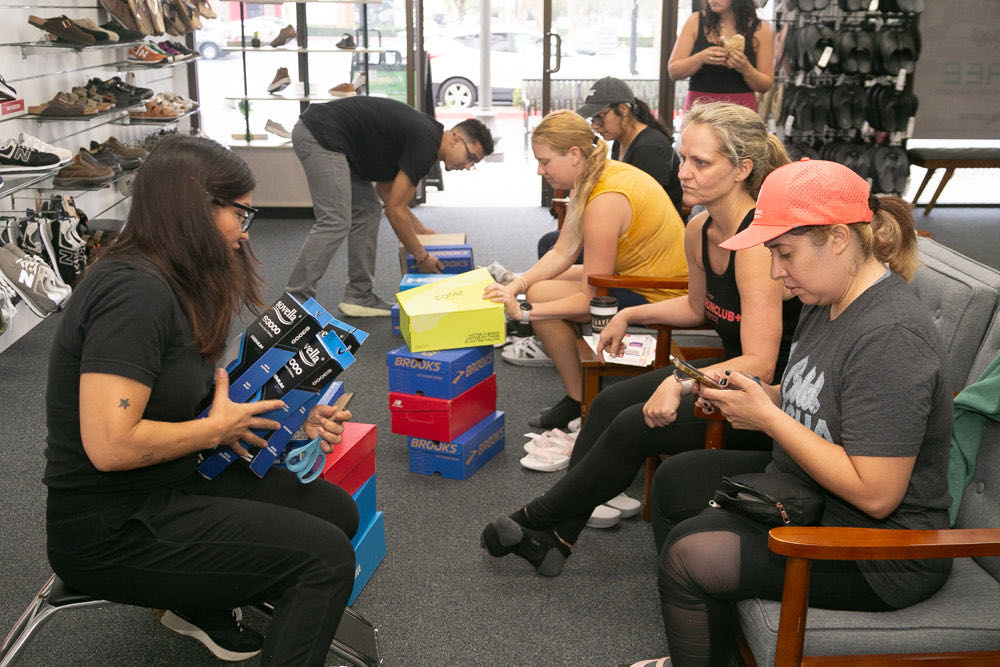
Customer story · Store fulfillment
Lucky Feet Shoes reported that daily shipment preparation and coordination dropped from 2–4 combined staff hours to under one hour with automated assignment and store-specific work queues. The result reflects its broader Sqquid Commerce store fulfillment workflow.
Read the case studyNo. TikTok Shop can connect directly to Commerce as a sales channel. You need a supported source for products and stock, such as a connected POS, and approved TikTok Shop listings.
The TikTok Shop connection updates inventory on existing listings. Create and approve the listings first, then give each TikTok seller variant the same SKU as its match in Commerce. See TikTok Shop products and inventory.
Yes. Authorize the existing seller account and test updates on a few approved listings with matching seller SKUs before enabling broader inventory updates.
Yes, with a supported source and an eligible setup. Commerce can publish a combined quantity or publish quantities by mapped TikTok warehouse. Check whether store locations can both contribute stock and fulfill TikTok orders.
Check the exact seller SKU, TikTok warehouse, and quantity available at the mapped Commerce location. Open orders and configured buffers can make the sellable quantity lower than physical stock. See TikTok Shop inventory troubleshooting.
Check the Seller Center order status, seller SKUs, and warehouse mapping. Commerce imports orders awaiting shipment or on hold. An unmapped fulfillment warehouse can stop processing when inventory by location is enabled.
Choose a reliable inventory source, match each variant, and publish sellable quantities for the locations that can fulfill. Review buffers for products likely to sell quickly and test a stock change before a promotion.
Yes, for eligible TikTok Shipping orders. Commerce requests available services and buys the label through TikTok. Confirm the package preset and routing location, and test that tracking appears in Seller Center. See the TikTok Shop shipping and returns guide.
Use Seller Center to review requests and take marketplace actions. Commerce can import eligible completed returns and successful cancellations when enabled and the original order exists in Sqquid. Review any imported record before adjusting inventory or reconciling it in another system.
Bring your seller region, warehouse setup, and shipping mode to the review. If you use Fulfilled by TikTok or a third-party warehouse, confirm how those orders and stock should be handled before rollout.
The scope depends on how many listings need matching and whether you use pooled stock, mapped warehouses, or TikTok Shipping. See Commerce plans and use the setup review to confirm what your team needs before launch.
Walk through where stock comes from, where orders go, and what your team should test before launch.