Sqquid Commerce
Expand into new sales channels with ease.
Keep inventory aligned as you add stores and sales channels. Route orders to stores or warehouses that can meet your delivery promises at a sensible cost.
Fulfillment options
What is Sqquid Commerce?
Sqquid Commerce is a retail operations system for specialty retailers that sell in stores and online. It connects your point of sale (POS), ecommerce, and marketplace systems so your team can manage product catalogs, sellable inventory, online orders, and fulfillment across stores and warehouses.
Your POS can keep running in-store transactions and your ecommerce platform can stay your online storefront. Commerce coordinates the work between them, from making stock available to sending each order to the right location and sharing fulfillment updates with supported channels.
What happens when you outgrow your inventory management systems?
Your POS shows three in stock, so your website takes an order. When the store team goes to pick it, two are already set aside for other orders and the last one has just sold at the register. When that happens across stores, your website and marketplaces can keep taking orders for stock that’s already spoken for. Staff scramble to find another location that can ship on time. Some orders ship late, and others get canceled.
Sqquid Commerce helps prevent overselling by tracking what’s available to sell at each location. In this example, only one unit counts as sellable while the other two are reserved. When the register sale comes through, Commerce updates that location’s availability to zero and shares the update with connected channels. If another store or warehouse has sellable stock, Commerce can route the order there using your fulfillment rules.
See how a retail operations system works
What does Sqquid Commerce do?
Multi-location inventory
See sellable stock by store and warehouse. Account for reserved units and share supported availability updates across channels to help prevent overselling.
Manage inventory across locationsProduct catalog management
Manage SKUs, variants, images, and supported product fields. Map product data to each channel so your ecommerce merchandising team can keep listings accurate.
Explore the catalog workflowMarketplace integrations
Add supported channels such as Amazon, Walmart Marketplace, or TikTok Shop while keeping listings, stock, and orders connected to your retail operation.
Browse supported integrationsOrder management and routing
Bring online orders into one workflow. Assign them to stores or warehouses using sellable stock, location priorities, and fulfillment rules.
Explore retail order managementShipping and fulfillment
Run ship-from-store and warehouse fulfillment with location-specific queues. Give teams a way to pick and pack orders, print shipping labels, and track shipments.
See how fulfillment worksWarehouse workflows and transfers
Organize stock by bin or location, support warehouse picking and packing, and track stock transfers between stores and warehouses.
See what Commerce managesWhich location should ship the order?
Sqquid Commerce uses location-level availability and your fulfillment rules to decide where an order should ship. Geo routing can weigh how close each location is to the customer alongside delivery timing and whether the items can ship together.
Say a customer orders two items online. The closest store has one item, while another store has both and can meet the delivery window. Your rules can favor the store that can send both items in one package, helping you avoid the cost of a second shipment.
Can the store get it ready for pickup today?
A shopper wants to collect an online order after work. Their chosen store needs sellable stock and a clear queue so staff can prepare the order. Commerce helps coordinate the order, location inventory, and the work the store needs to do.
Buy online, pick up in store (BOPIS) typically uses stock already at the pickup location. Ship-to-store brings the order from another location before collection. For curbside pickup, staff also need a process for handing the order to the customer outside the store.
Explore BOPIS and ship-to-store
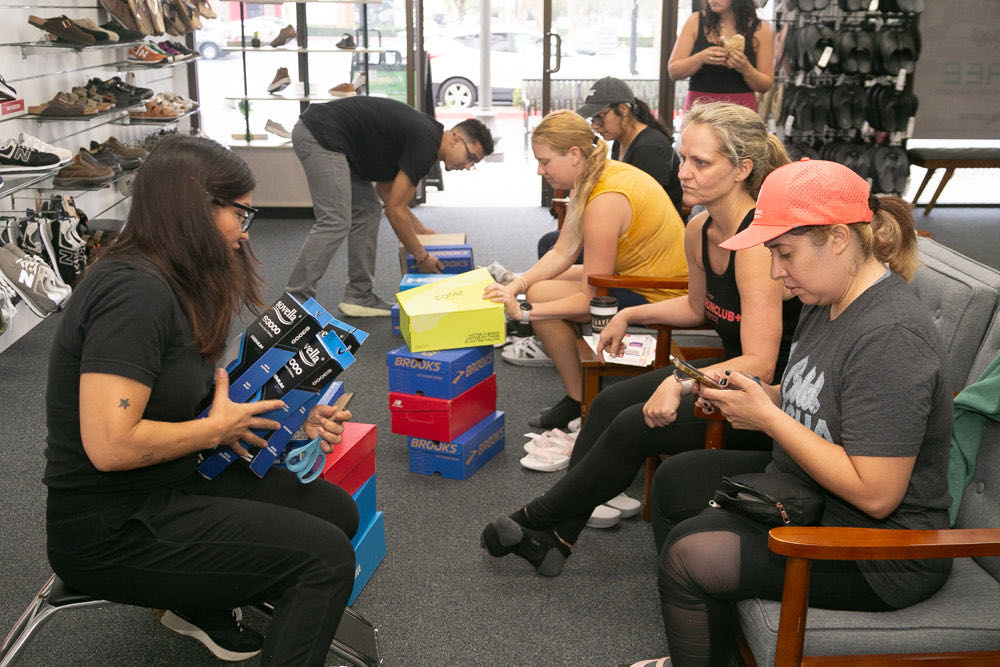
How Lucky Feet Shoes put its stores in charge of fulfillment
Lucky Feet Shoes reports that daily shipment preparation and coordination went from 2–4 combined staff hours to under one hour. Sqquid Commerce automated order assignment, gave each store its own queue, and gave the central team a way to follow up on pending orders.
Read the Lucky Feet Shoes case studyQuestions about Sqquid Commerce
Can I keep my POS and ecommerce platform?
Yes. Sqquid Commerce works alongside supported POS and ecommerce systems. Check the Commerce integrations directory for your platform, edition, and supported workflows.
Can my stores fulfill ecommerce and marketplace orders?
Yes. You can use stores and warehouses as fulfillment locations. Connected channels and your fulfillment rules determine which locations receive orders and how they are assigned.
How does Commerce help prevent overselling?
Sqquid Commerce uses inventory by location and accounts for reserved stock when determining what’s available to sell. It shares supported availability updates with connected channels so shoppers see a more accurate picture of stock.
Can I add a marketplace while keeping my existing storefront?
Yes. Your ecommerce platform can remain your storefront while Commerce coordinates supported catalog, inventory, and order workflows for the new marketplace. The integrations directory lists supported platforms and workflows.
Can Commerce support light WMS workflows?
Yes. Commerce can support warehouse management tasks such as organizing stock by bin or location, picking and packing orders, and tracking stock transfers. The right setup depends on your warehouse systems and fulfillment process.
How does Commerce differ from Intelligence?
Sqquid Commerce coordinates available inventory, online orders, routing, and fulfillment. Sqquid Intelligence is designed to help buyers decide what to reorder, where to move stock, and when to review slow sellers.
Bring us an order that was hard to fulfill.
Show us where the order came in, which locations had stock, and what you promised the customer. We’ll walk through how Sqquid Commerce could handle that order in your setup.